 FinderFlow
Three real views
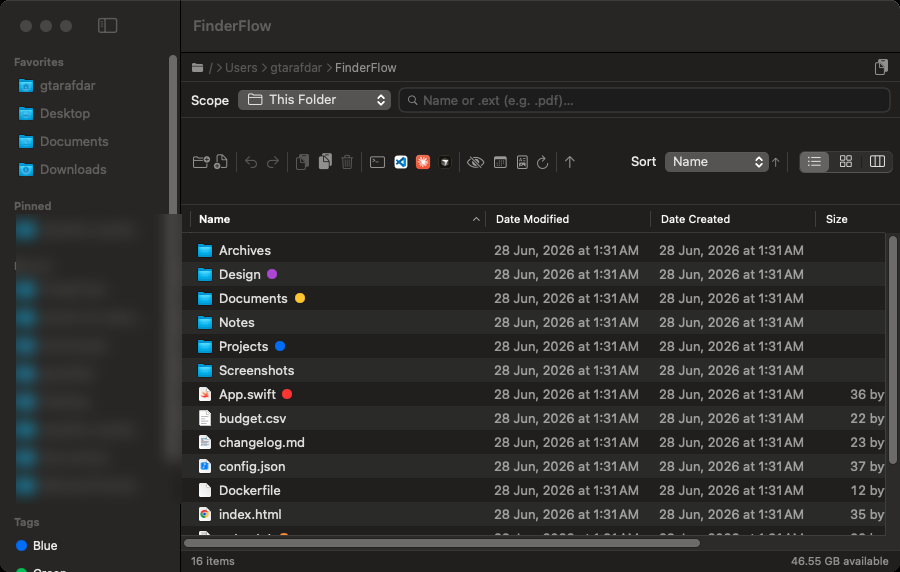
Column (miller) with a live preview pane, sortable List, and a resizable Icon grid — all sharing the same sort & group options.
macOS file manager · runs fully on your Mac
A fast, native file browser with a built-in code editor, a Markdown reader, real Finder color tags, Spotlight search, and one-click IDE launch — the whole stack you usually open four apps for, in one window.
Universal · Apple Silicon + Intel · macOS 14+ · 6.8 MB .dmg · Free & open source · MIT
See it in action
Click through the views — the same window, however you like to work.
Sortable columns (name, dates, size, kind), optional date grouping, inline rename, and tag dots — exactly where you expect them.
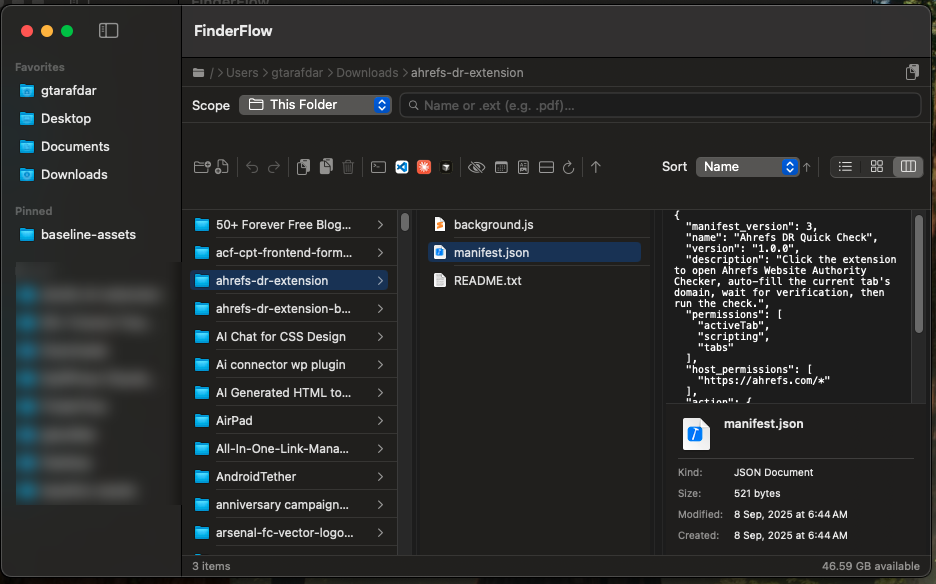
Finder-style miller columns with a live preview pane and a Get Info panel — drill through deep folder trees without losing context.
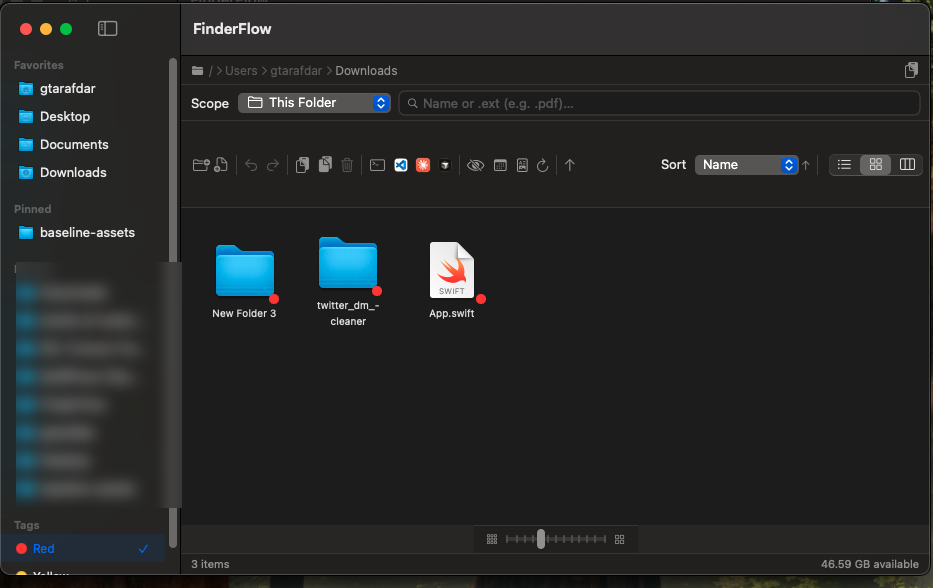
Resizable icon grid, and real color tags: tap Red in the sidebar and FinderFlow filters Mac-wide via Spotlight — the same tags show in Finder too.
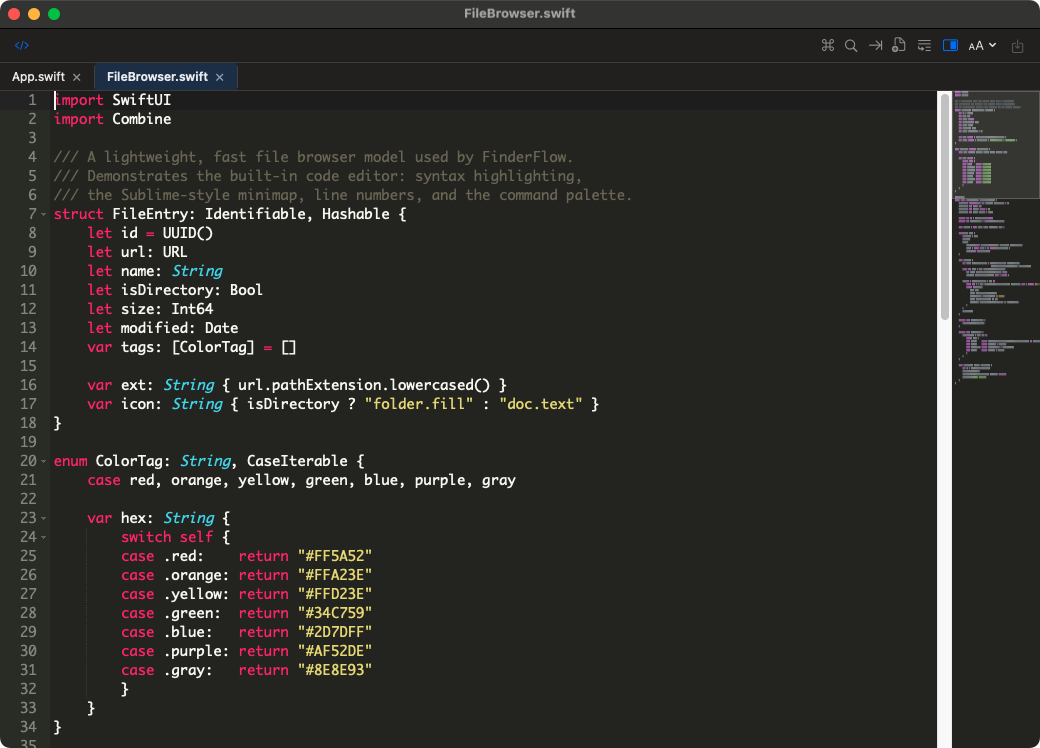
Open code in a real editor — tabs, syntax highlighting, command palette (⌘⇧P), and a Sublime-style minimap, in its own resizable window.
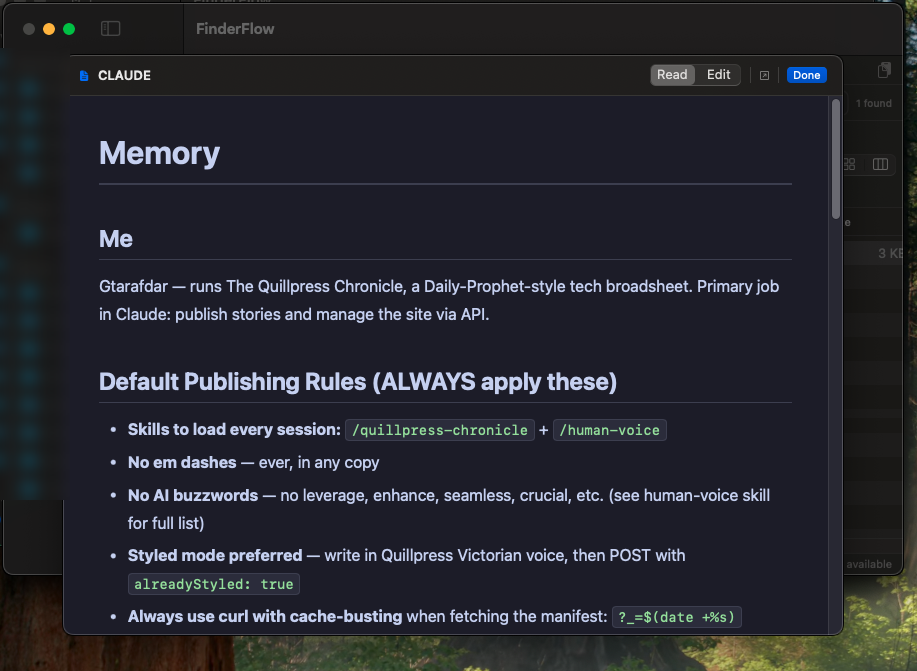
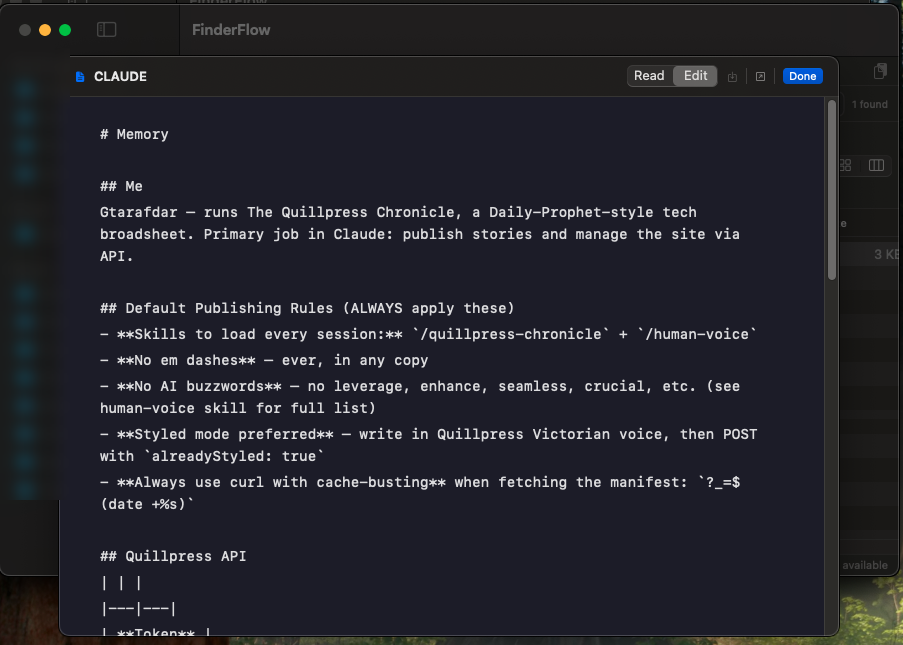
Read Markdown beautifully rendered — or switch to Edit and save with ⌘S. No Obsidian needed for your AI / README / notes files.
Why switch
The reasons people move from Finder — none of these ship in macOS Finder.
Built-in editor
Open any text or code file straight from the browser into a real, standalone, resizable window — it never blocks your file navigation.
Markdown, built in
AI hands you Markdown all day. Read it rendered, or flip to edit and save with ⌘S — without ever leaving your files.
Everything in the box
Column (miller) with a live preview pane, sortable List, and a resizable Icon grid — all sharing the same sort & group options.
The 7 standard colors, multiple per file, written in macOS's real format — they show up in Finder too.
exclusiveDrag a file or multi-selection out of FinderFlow onto the Desktop, another folder, an upload dialog, a browser, Slack, Mail — real file drag just like Finder.
new in 1.2Group by Date (Today → Previous 90 Days → Earlier), Kind, Extension, Size or Name. Folders-first / files-first / mixed — works in every view.
new in 1.2This folder, recursive, or your entire Mac. Extension search (.pdf) included.
Quick Look + a preview pane for images, PDFs, code, video, audio, docs.
Every move, rename, paste and trash is reversible — partial-failure-safe.
Open the folder in Terminal, VS Code, Cursor, Claude Code or Codex — only what you have shows.
exclusiveA dedicated copy-path button with a confirmation toast — no menu digging.
Compress to zip; extract zip / tar / gz / tgz / bz2 / xz with built-in tools.
Share/AirDrop, Get Info, Show in Finder, make alias — the native actions you rely on.
A bundled extension adds New Folder Here, Copy Path, Open in Terminal & Open in FinderFlow right into Finder.
exclusiveRoute folder opens to FinderFlow via LaunchServices. Pinned & recent folders, path bar, disk-space status, launch at login.
Trust
It handles your files, so it's built — and reviewed — to deserve that.
Get it running
| macOS | 14.0 Sonoma or later |
|---|---|
| Chip | Apple Silicon or Intel (universal) |
| Download | ≈ 6.8 MB · .dmg |
| Extras | None — fully self-contained |
| Price | Free & open source (MIT) |
On first browse, macOS shows standard “allow access” prompts — normal for any file manager. Just click Allow.

About the maker
WordPress product marketer by trade, stubborn problem-solver by habit, lifelong Harry Potter devotee by heart. By day I'm the Product Marketing Specialist at WPBakery. Before that I helped a single plugin cross 400,000+ active users. When the day-job owl flies home, I tinker on my own little workshop of spells — FinderFlow is one of them.
Why I built this
Finder is fine — until the moment you need a little more, and have to go find another app.
I live in my files. All day I'm jumping between folders, peeking into a config, fixing one line in a script, reading a Markdown file an AI just wrote me, then opening that folder in my editor or terminal. With Finder, every one of those is a detour into another app.
So I built the file manager I actually wanted — one that edits the file, renders the Markdown, copies the path, and opens the IDE without ever leaving the window. It stays out of your way, runs entirely on your Mac, and sips RAM instead of hogging it.
It's a premium-feeling app, but it's free and open source. If you've ever wished Finder did just a bit more, it's yours too.
Support the project
FinderFlow is free and open source. A star helps others find it; a small donation keeps the workshop lit.
Install once. Browse, tag, search, edit, and launch your IDE — all in one window.
Universal · macOS 14+ · ad-hoc signed · 6.8 MB